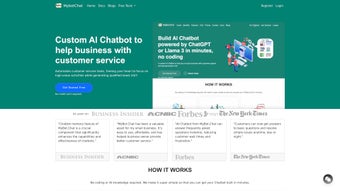

Download MyBot Chat – AI‑Powered Web Chatbot for Secure Real‑Time Conversations
Overview
MyBot Chat is a cloud‑based conversational AI platform built specifically for modern websites that need an intelligent, real‑time chat experience without the hassle of native installations. Launched in April 2025, the service combines large‑language‑model technology with a lightweight JavaScript widget, allowing developers, marketers, and support teams to embed a fully functional chatbot in minutes. The platform emphasizes security and privacy: all traffic is protected with TLS 1.3 encryption, and data handling complies with GDPR, giving businesses confidence that user information stays safe.
MyBot Chat supports a subscription model with tiered pricing, which includes automatic model updates, priority support, and access to an analytics dashboard that tracks engagement, satisfaction scores, and conversion metrics. Because the solution is delivered entirely through the browser, it works on any operating system that can run a contemporary web browser—Windows, macOS, Linux, iOS, Android, and even legacy browsers such as Internet Explorer 11 with graceful degradation. Whether you need a simple FAQ bot, a multilingual lead‑generation assistant, or a sophisticated virtual agent that can hand off to live operators, MyBot Chat promises a flexible, scalable tool that can be customized to match any brand’s voice and visual identity.
The following sections dive deeper into its core features, installation process, system compatibility, and real‑world pros and cons, helping you decide if this AI chatbot is the right fit for your digital strategy.
Core Features & Benefits
- AI‑Driven Natural Language Understanding: Advanced language models interpret intent and generate human‑like replies, reducing the need for scripted flows.
- Multi‑Channel Browser Support: Works seamlessly on Chrome, Firefox, Safari, Edge, Opera, and IE 11, ensuring coverage for all visitor devices.
- Customizable Widget Builder: Drag‑and‑drop interface lets you align colors, fonts, and branding without code.
- Contextual Memory: Remembers previous interactions within a session, delivering smoother, more relevant conversations.
- End‑to‑End Encryption & GDPR Compliance: TLS 1.3 encryption and strict data‑retention options keep user data secure.
- Real‑Time Analytics Dashboard: Tracks chat volume, response time, satisfaction scores, and conversion rates for data‑driven optimization.
- Integration Hub: Pre‑built connectors for HubSpot, Zendesk, Shopify, and other SaaS tools accelerate workflow automation.
- Scalable Subscription Plans: From starter packages for low‑traffic sites to enterprise tiers with dedicated support.
- Multilingual Support: Built‑in translation engine covers 30+ languages with automatic detection.
- Developer‑Friendly API: RESTful endpoints, webhook triggers, and custom logic hooks empower advanced customizations.
These capabilities translate into tangible business benefits. The AI engine continuously learns from interactions, improving accuracy and reducing the number of fallback responses over time. Because the service is fully managed in the cloud, there is no need to maintain servers, apply patches, or schedule downtime for upgrades—the platform handles all updates automatically, freeing IT resources for higher‑value projects.
The analytics suite equips managers with actionable insights, allowing them to pinpoint bottlenecks, measure ROI, and refine conversational flows based on real user behavior. Moreover, the integration hub means that leads captured by the chatbot can be pushed directly into a CRM, tickets can be opened in a help‑desk system, and e‑commerce actions—such as adding items to a cart—can be triggered without leaving the chat window. In short, MyBot Chat provides a comprehensive conversational ecosystem that scales with your organization, delivering both operational efficiency and enhanced customer experience.
Installation, Usage, and Compatibility
Step‑by‑Step Installation
- Visit the MyBot Chat pricing page, select the plan that matches your expected traffic, and complete the secure checkout.
- After purchase, you receive an API key and a concise JavaScript snippet via email and the user dashboard.
- Paste the snippet into the
section of your website’s HTML or into the entry point of a single‑page application (React, Vue, Angular). - Log into the MyBot Dashboard, choose a widget template, adjust colors, fonts, and branding, then enable any desired third‑party integrations (CRM, ticketing, e‑commerce).
- Save your settings, publish the changes, and test the chat window across browsers to confirm proper rendering and functionality.
Daily Usage Workflow
Once the script is live, a small chat icon appears in the lower‑right corner of every page. Visitors click the icon, type a question, and receive instant AI‑generated answers. If the bot cannot resolve the query, it can automatically route the conversation to a live agent or present a fallback contact form, ensuring no user hits a dead end. The dashboard provides a live feed of active chats, conversation transcripts, and performance metrics, allowing supervisors to monitor quality, intervene when needed, and extract insights for continuous improvement.
Compatibility Details
MyBot Chat is a pure web solution, so it runs on any operating system that supports modern browsers. Official testing confirms full functionality on Windows 10/11, macOS Ventura, popular Linux distributions (Ubuntu, Fedora), iOS 15+ Safari, and Android 11+ Chrome. Legacy support extends to Internet Explorer 11, though advanced UI features degrade gracefully. Because all processing occurs on MyBot’s cloud servers, there are no client‑side hardware requirements beyond a stable internet connection and a JavaScript‑enabled browser.
Pros, Cons, FAQ, and Final Verdict
Pros
- One‑line integration—no complex SDKs required.
- AI delivers context‑aware, natural responses that improve over time.
- Cross‑browser compatibility eliminates platform lock‑in.
- End‑to‑end encryption and GDPR‑ready data handling.
- Rich analytics help quantify ROI and guide optimization.
- Scalable subscription model fits startups to enterprises.
Cons
- Subscription cost may be high for very low‑traffic sites.
- Requires constant internet connectivity; no offline mode.
- Advanced AI customization can demand developer expertise.
- Support response times vary by plan tier.
- Browser‑based UI may not feel as native as dedicated mobile apps.
Frequently Asked Questions
Can I try MyBot Chat before purchasing?
Yes, a 14‑day free trial with limited chat volume is available, allowing you to evaluate AI quality and integration ease before committing.
How is my data protected?
All traffic is encrypted with TLS 1.3, and data is stored in GDPR‑compliant data centers. Optional retention policies let you automatically purge conversation logs.
Does the chatbot support multiple languages?
Yes, built‑in multilingual support covers over 30 languages, with automatic detection and real‑time translation.
What happens if the AI can’t answer a user’s question?
The bot can be configured to hand the conversation off to a live agent or display a fallback form, ensuring the visitor always receives help.
Do I need any special server infrastructure?
No. MyBot Chat is fully cloud‑hosted; you only embed the JavaScript snippet, and all processing occurs on MyBot’s servers.
Conclusion – Should You Download MyBot Chat?
MyBot Chat delivers a powerful, secure AI chatbot that can be up and running in minutes, making it an attractive option for businesses that want to boost engagement without heavy IT overhead. Its extensive feature set, multilingual capabilities, and robust analytics provide clear value, especially for organizations focused on lead generation, support automation, or personalized user experiences. While the subscription pricing may be a consideration for very small sites, the productivity gains, higher conversion rates, and reduced support workload typically justify the expense. If you’re ready to modernize your website’s communication channel with a reliable, AI‑driven solution, download MyBot Chat today, start the free trial, and see how conversational AI can transform your online presence.
Click here to download MyBot Chat and join the growing community of businesses that trust AI to power their customer interactions.
MyBot Chat offers a compelling mix of AI sophistication and deployment simplicity. The platform shines for businesses that need a fast, secure, and adaptable chatbot without the overhead of managing servers or complex SDKs. Pricing and deep customization are the only notable drawbacks, but the overall value makes it a worthwhile investment.



.png)



